
Special Settings for Host Network Service

longl
If you have Host Network Service operating in your device, please adjust these settings.
Host Network Service in your computer can lead to connection problems. Please follow the instructions below to disable Host Network Service while using LetsVPN:
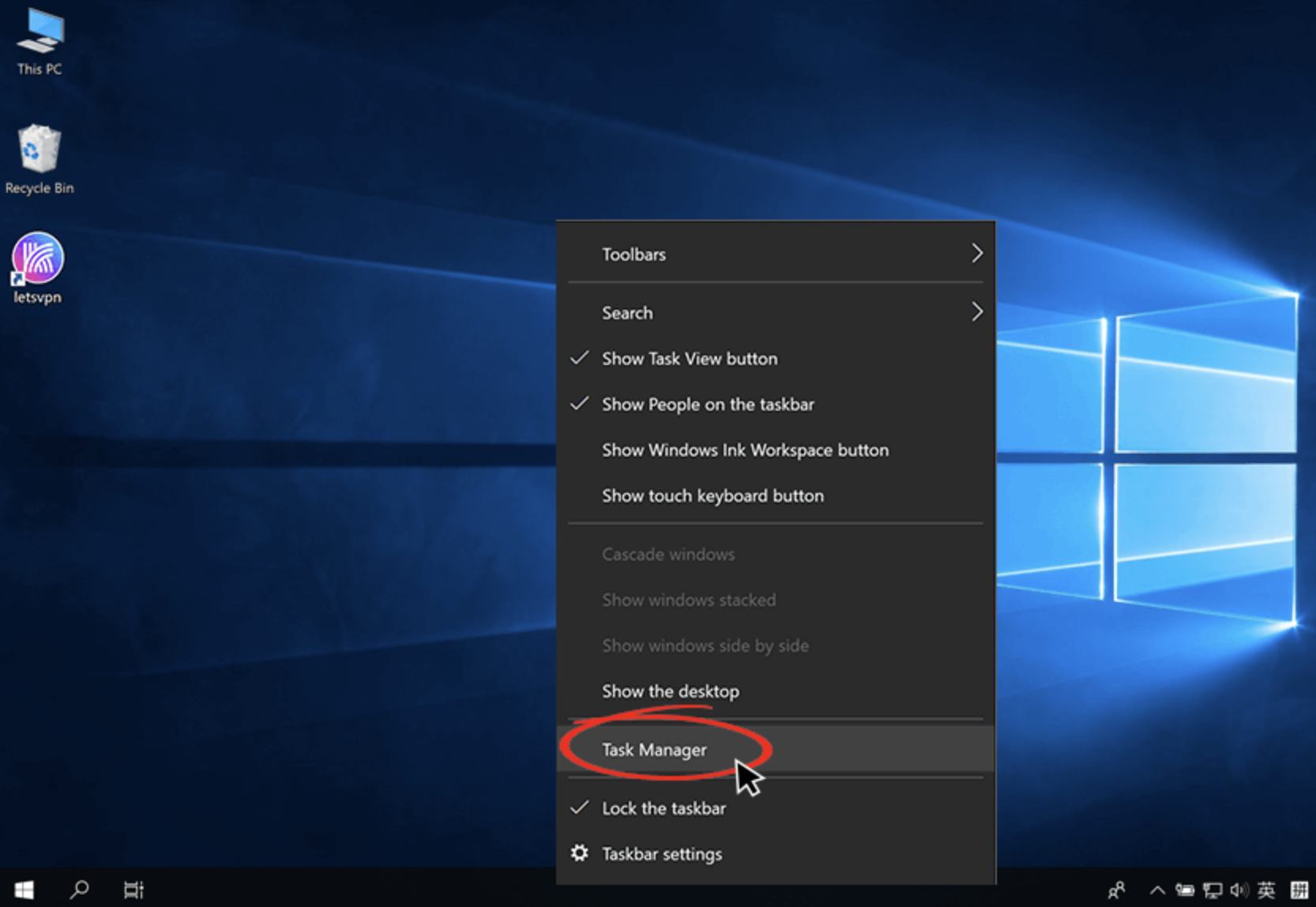
- Right-click the bottom menu bar and click Task Manager
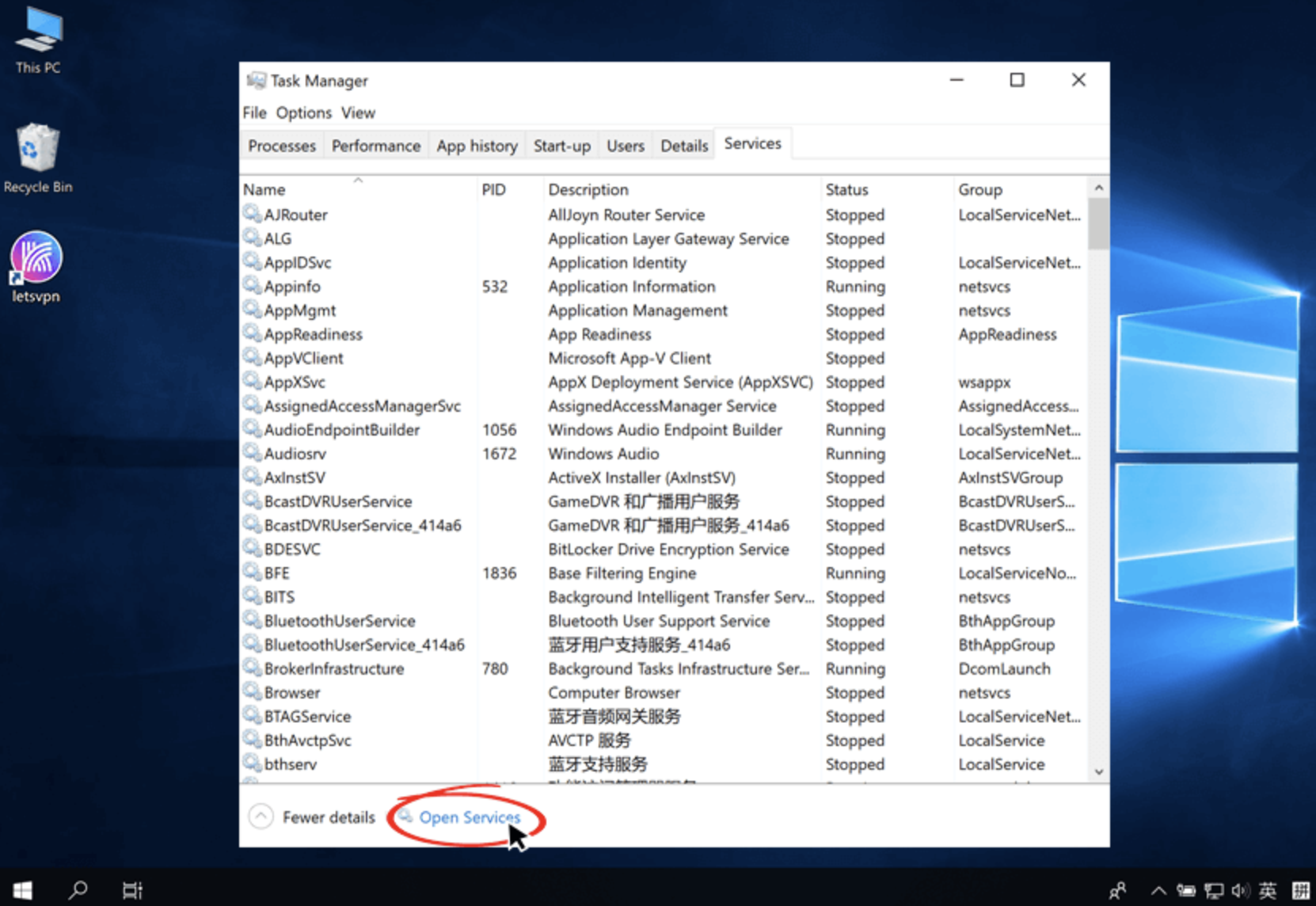
- Open Services in the Task Manager
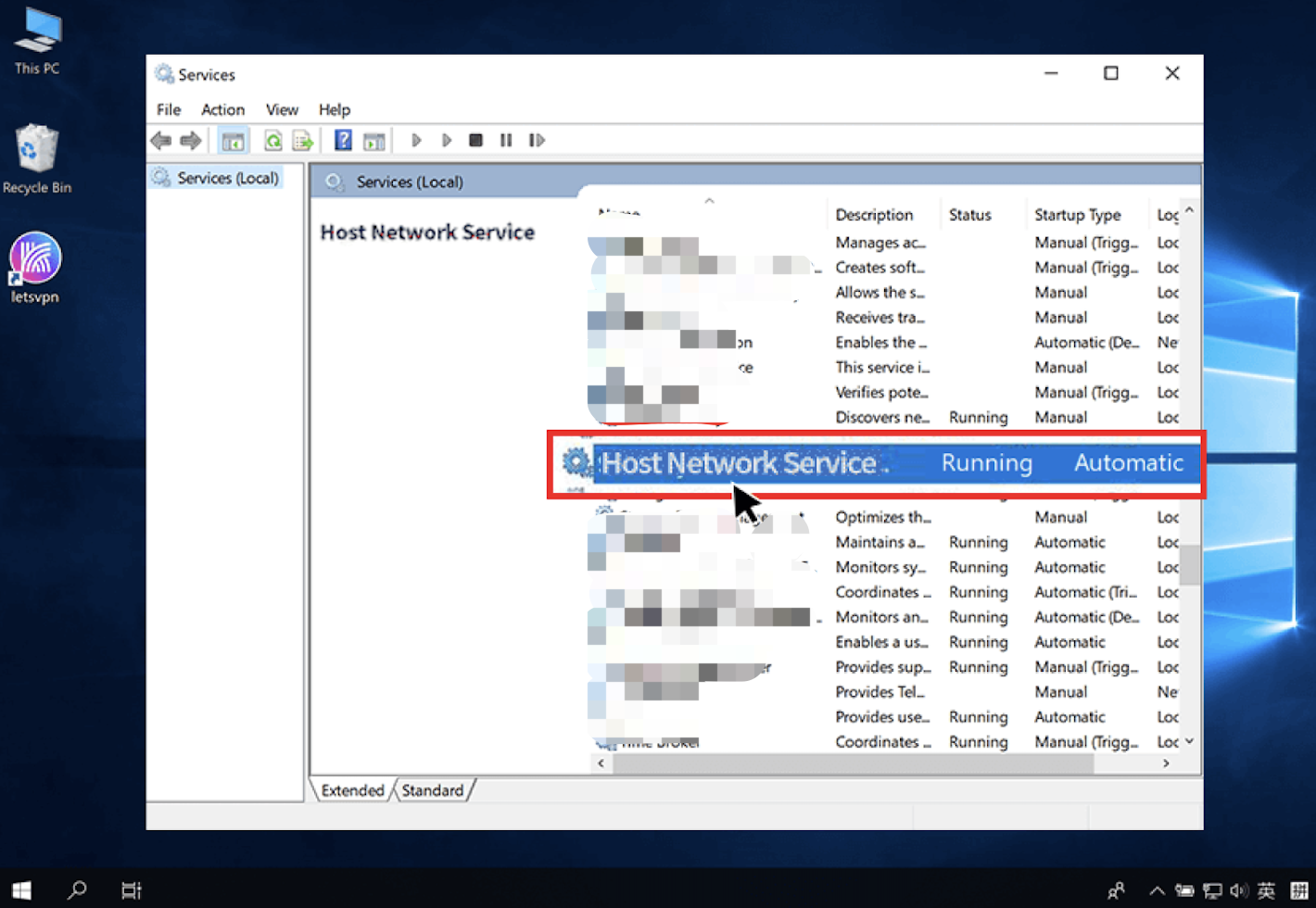
- Find Host Network Service and double-click it.
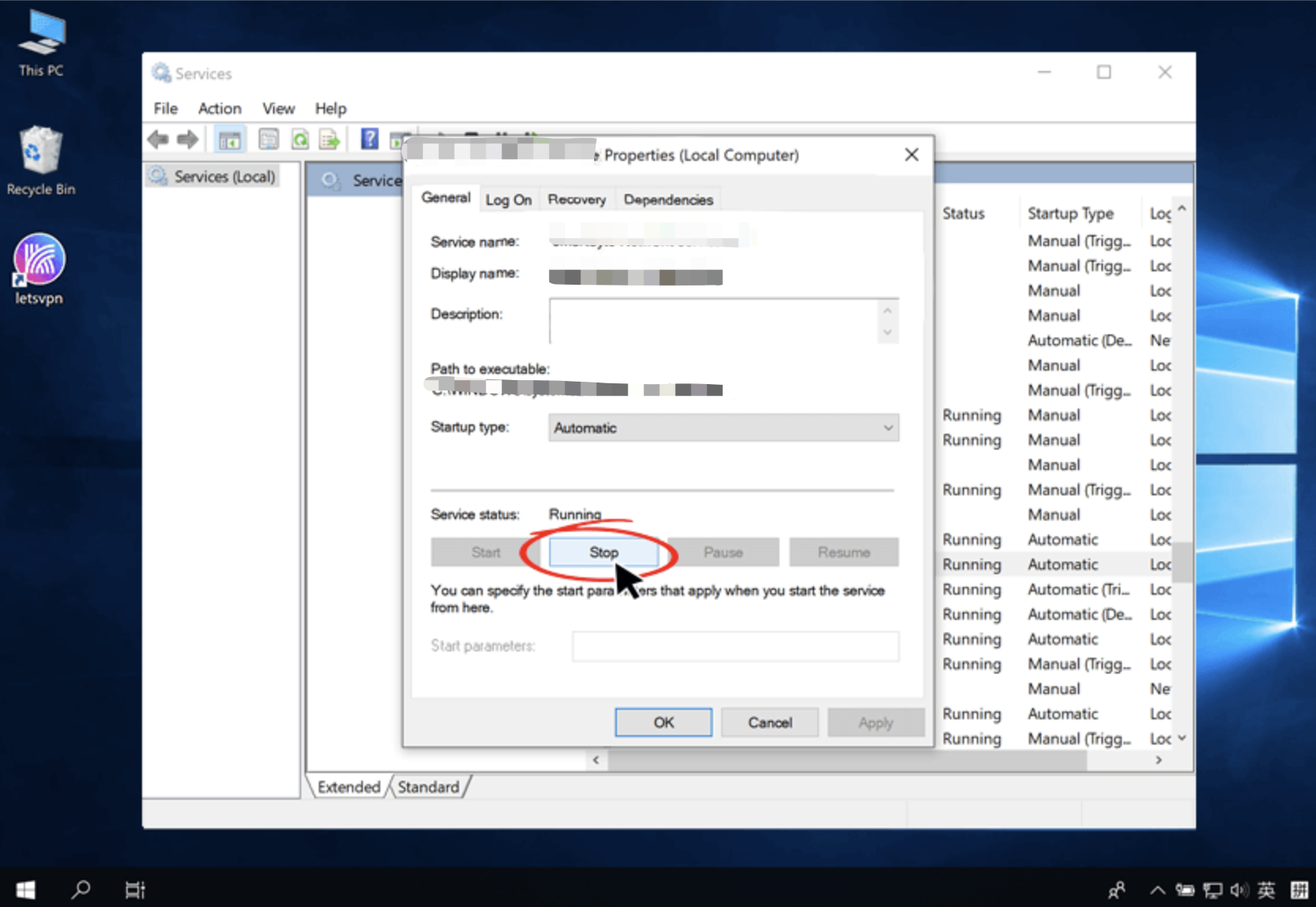
- Adjust it to “Disabled” in Startup type
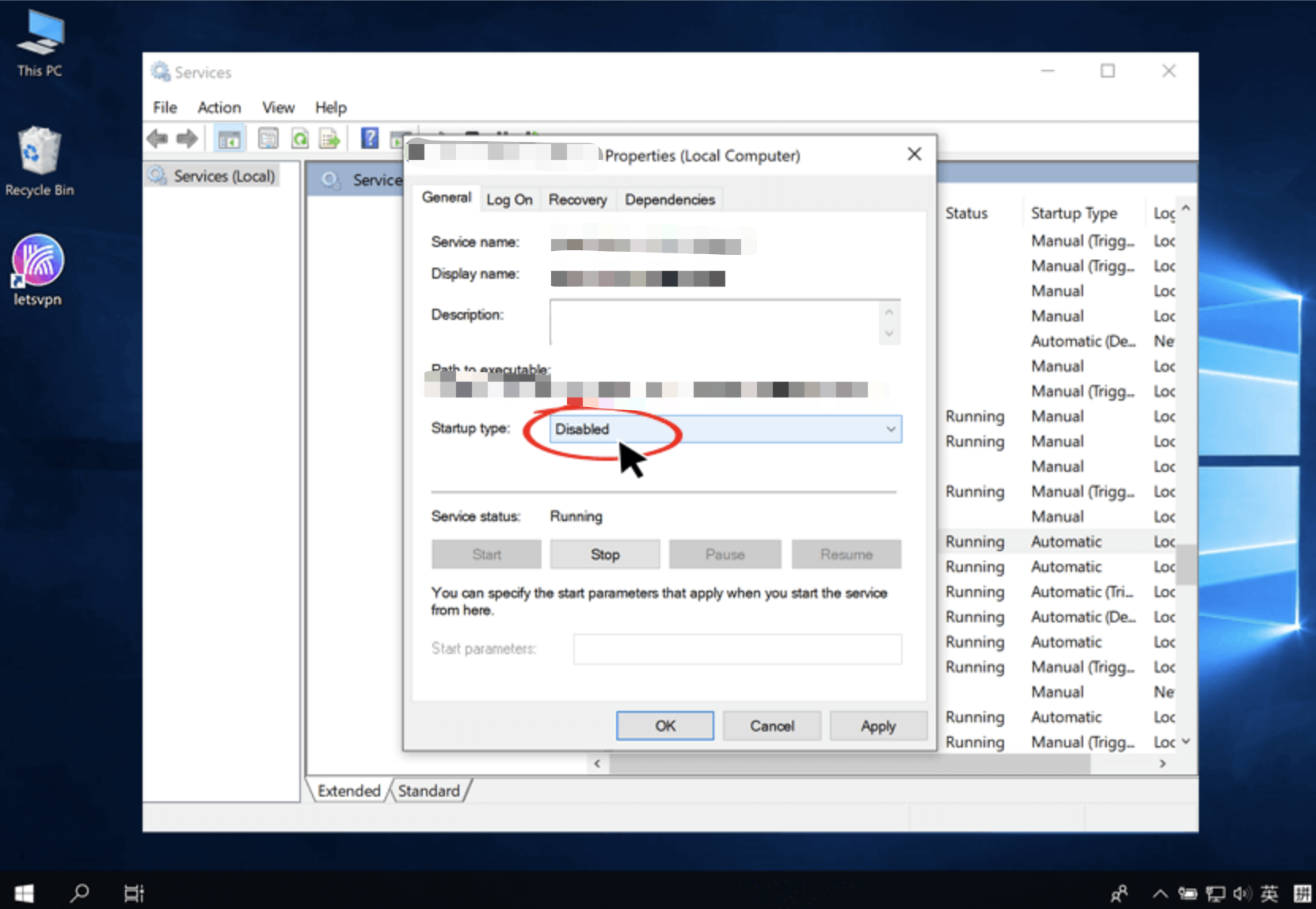
- Click “Stop” to stop the service, and then click “OK”.
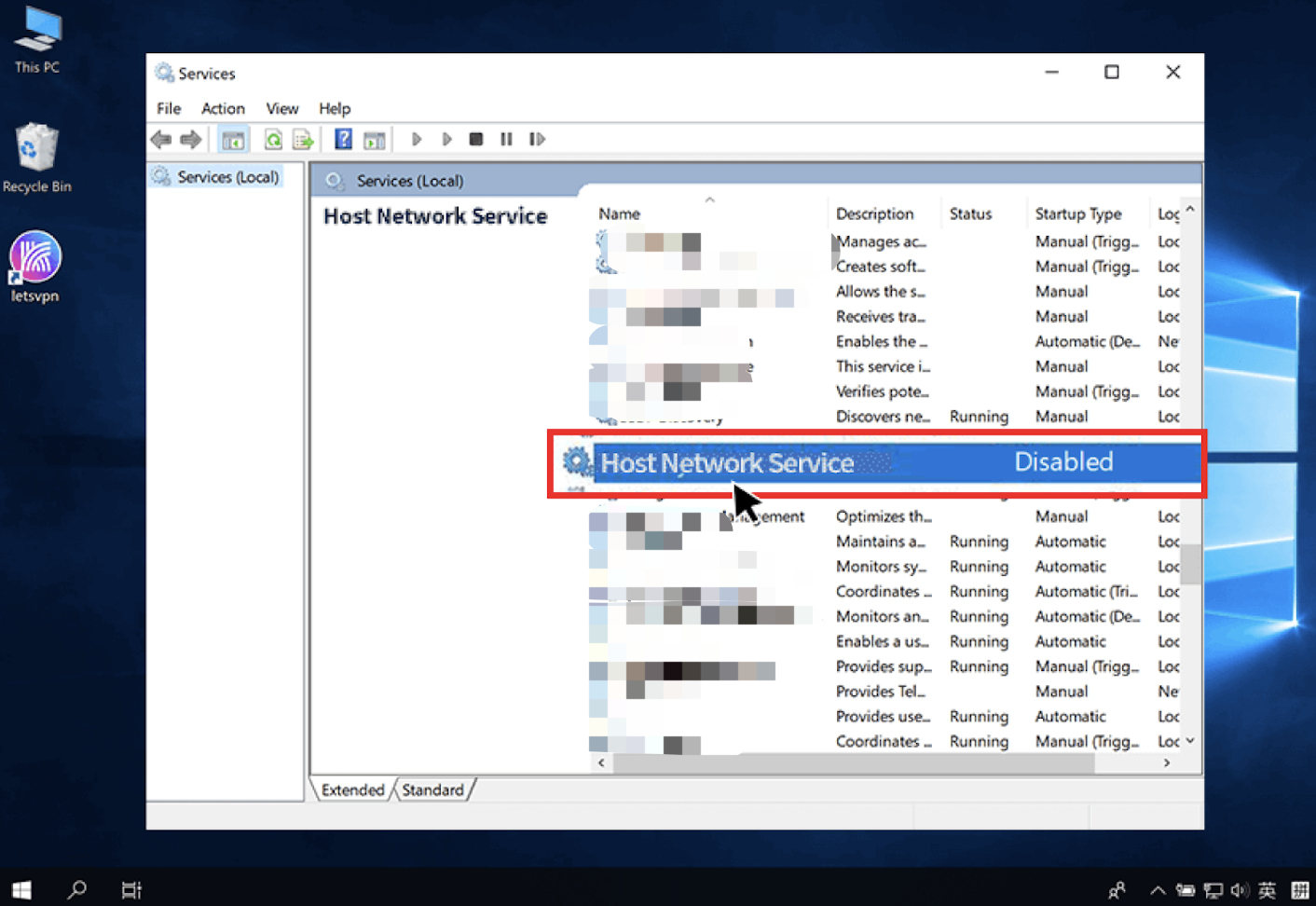
- The status of Host Network Service will be shown as “Disabled” after the setup is successful
Please don’t hesitate to contact us via online customer service in LetsVPN app or sending us an email at letsvpn@rbox.me. Our professional technical team will take immediate action to reply to you.
这篇文章是否解决了您的问题?