
How to download Microsoft Network Monitor

This article explains how to install Microsoft Network Monitor. This tool helps our engineers diagnose problems more quickly by capturing network data packets on your computer for analysis.
We recommend installing this native network analysis software from Microsoft for security reasons. Please read the following to learn how to install it.
1. Download
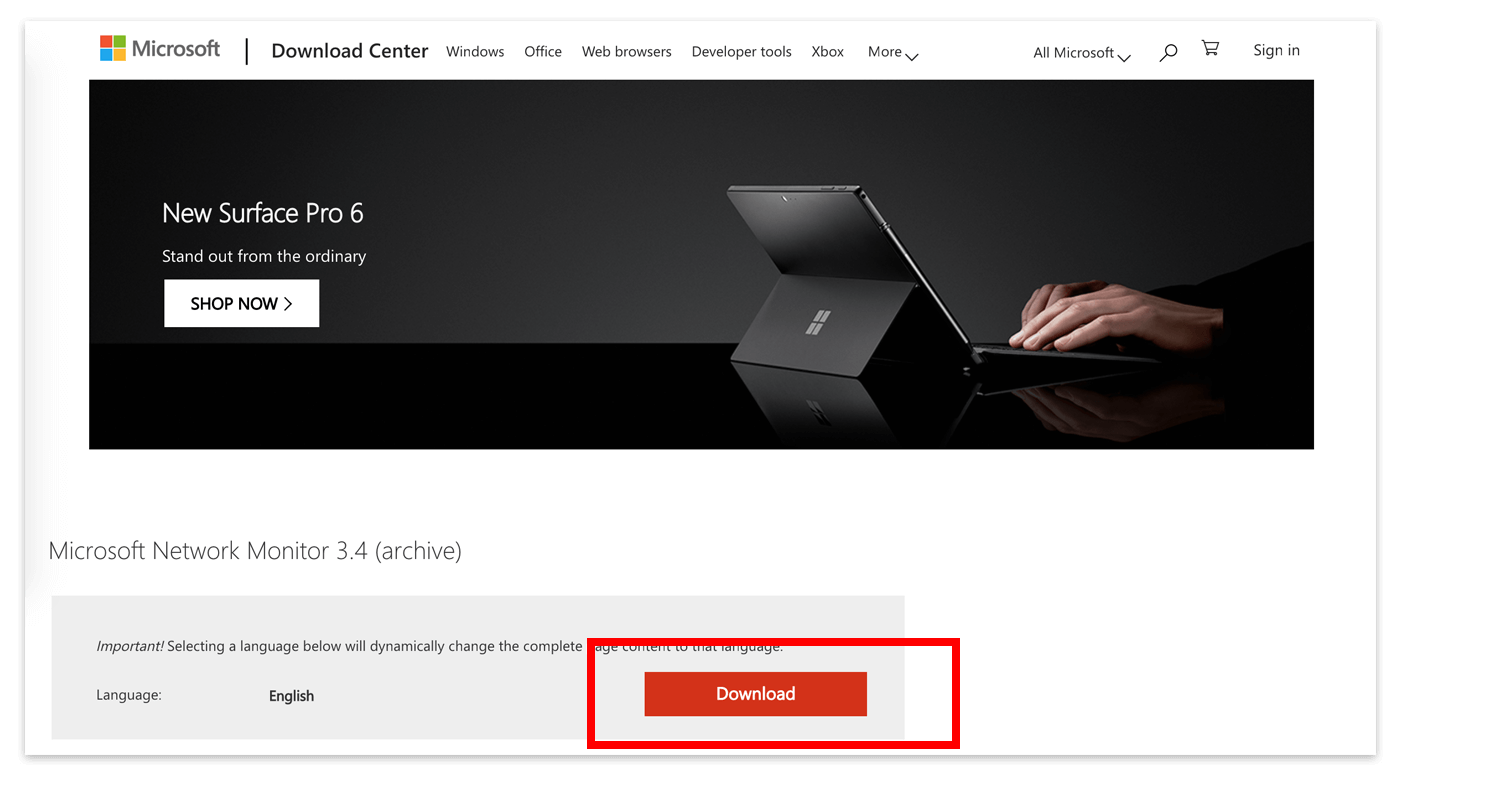
Please click the button below to download the Microsoft Network Monitor software from the official Microsoft website. For security, do not download from third-party platforms.
Click to download Microsoft Network Monitor
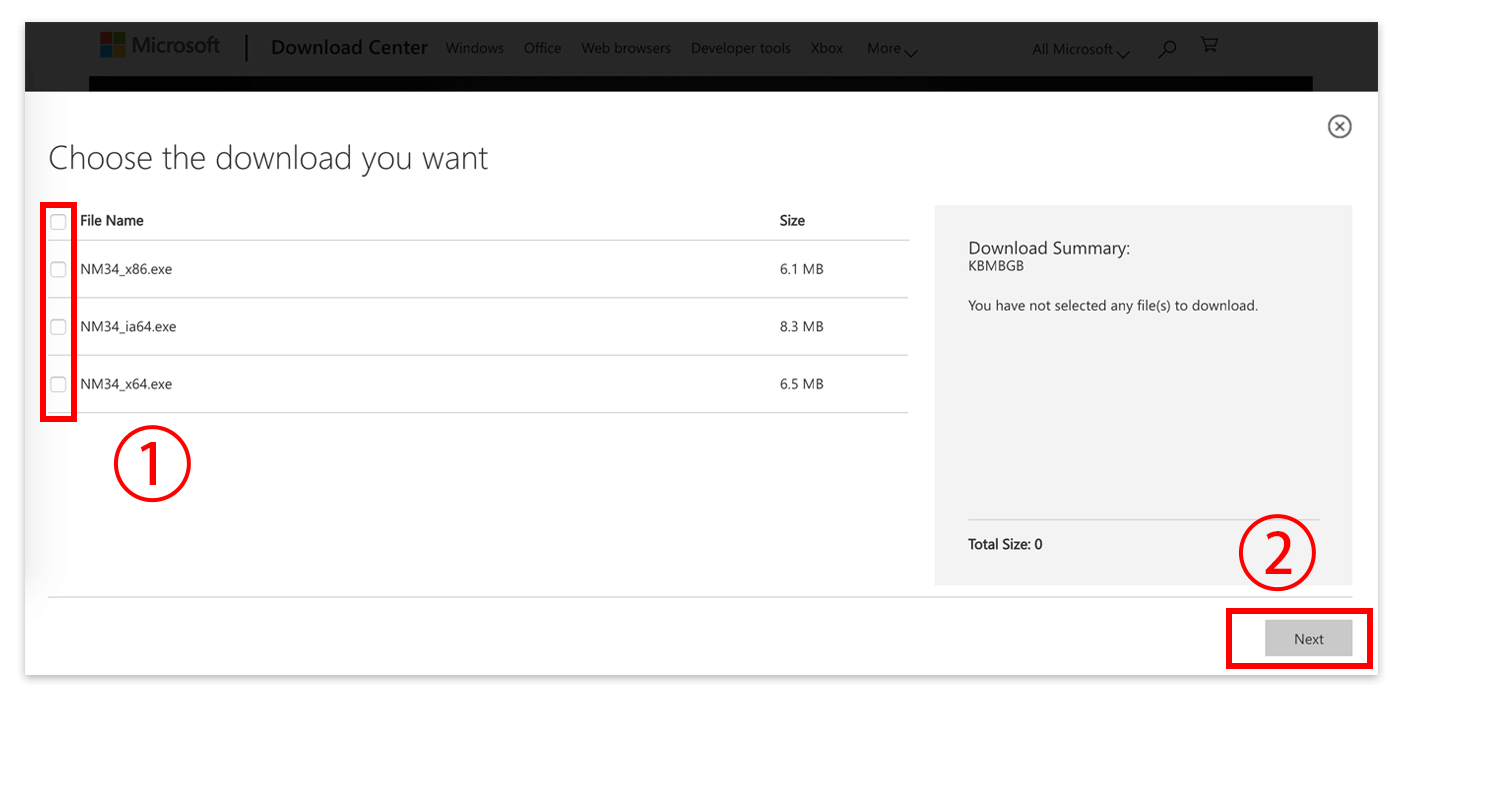
You need to download the version corresponding to your system (x86 for 32-bit, x64 for 64-bit), then click Next on the bottom right:
2. Installation
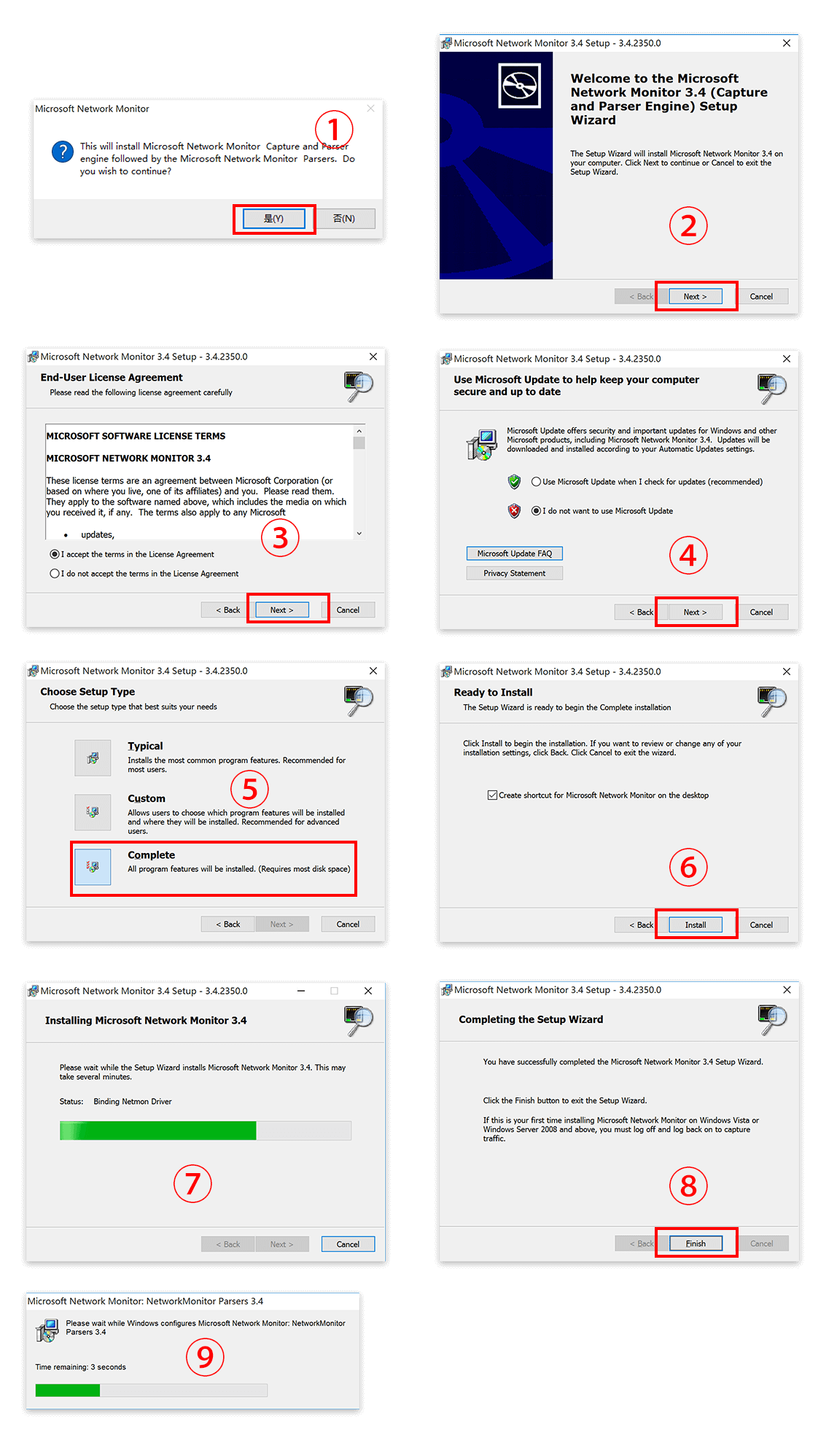
The installation process is very simple. Basically, just click the Next button on each screen, as shown in the images below:
3. Usage
The engineer debugging your issue remotely will look for this software in your “Start” menu when needed. Of course, if you are interested, you can also try using this software yourself; it’s quite interesting.
Reference document:
这篇文章是否解决了您的问题?